
Invite someone to your team
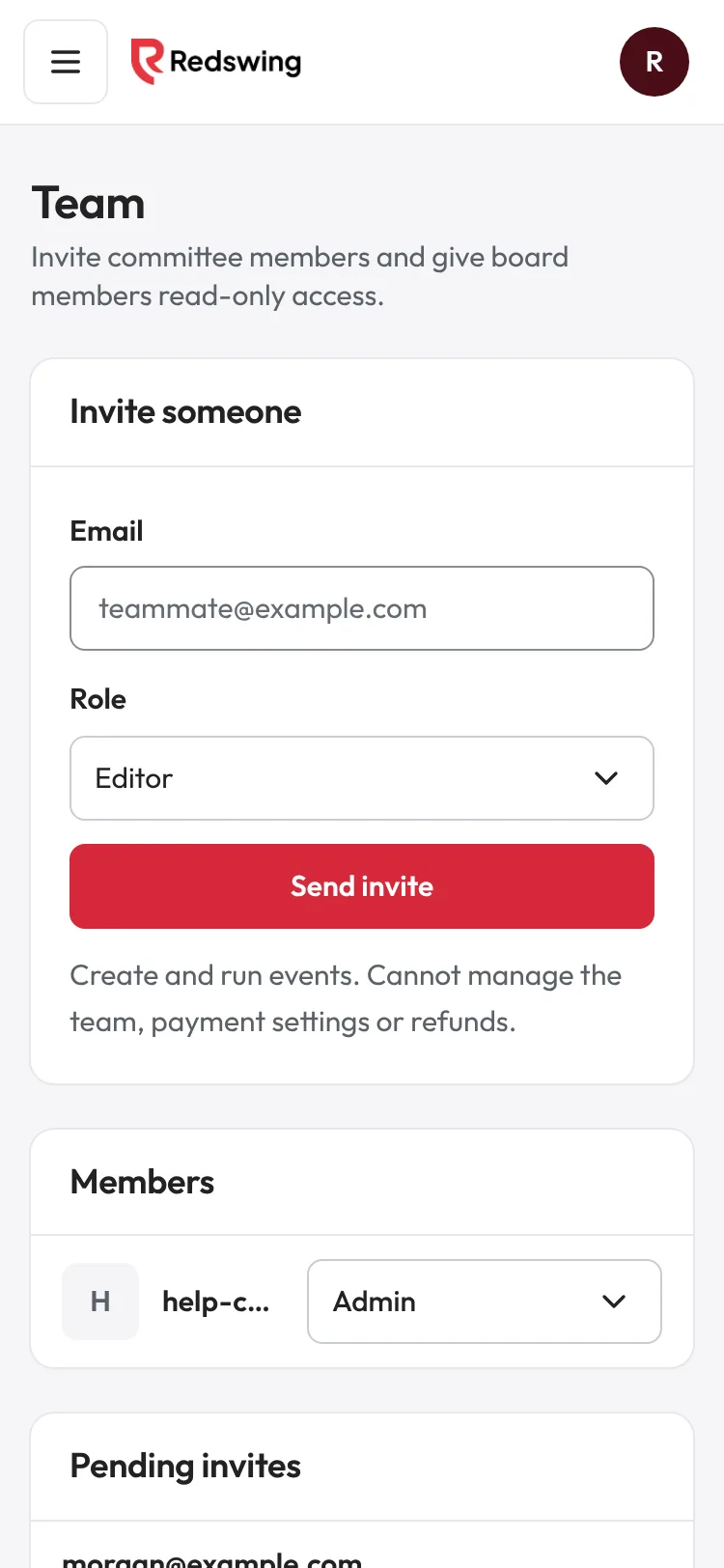
Step 1 of 4: Open Team and type the person's email address.
Sample event. Not real data.
Each person on your committee gets their own sign-in. Nobody shares a password, and you choose what each person can do.
Who can do this: Admin. (Editors and Viewers do not see Team.) You will need: the person's email address.
Before you start
- Pick the role. Admin: everything, plus the team, refunds and payment setup. Editor: create and run events. Viewer (read-only): look but not change, for board members. See What Admin, Editor and Viewer can do.
- Golfers, sponsors and day-of volunteers do not need an account. Golfers score from their group's link. See What volunteers can and can't do.
Steps
- Click Team in the sidebar (or in the account menu at the top right).
- Under Invite someone, type their Email.
- Pick a Role. The line under the form says what that role can do.
- Click Send invite. You see "Invite sent to" and their address.
- Their invite appears under Pending invites until they accept it.
What happens next
- They get an email, "You're invited to join [your organization] on Redswing", with an Accept invitation button.
- They sign in or create an account with that same email, then accept. See Accept a team invite.
- Once they accept, they move from Pending invites to Members, with the role you chose.
- The invite link does not expire. It works once.
Common problems
| What you see | Why | What to do |
|---|---|---|
| They did not get the email | Spam folder, a typo, or a work email filter | See A team invite did not arrive. |
| I need to send it again | There is no resend button | Click Revoke on the old invite, then invite the same email again. |
| "This invite is for ... Sign in with that email to accept." | They are signed in with a different email | They sign out and sign in with the invited email, or you invite the email they use. |
| I don't see Team | You are not an Admin | Ask an Admin to invite people or to make you an Admin. |
Related
- What Admin, Editor and Viewer can do
- Change a role, remove someone, or revoke an invite
- A team invite did not arrive
Screenshots show a sample event. Not real data.