
Check in a whole team, or one golfer
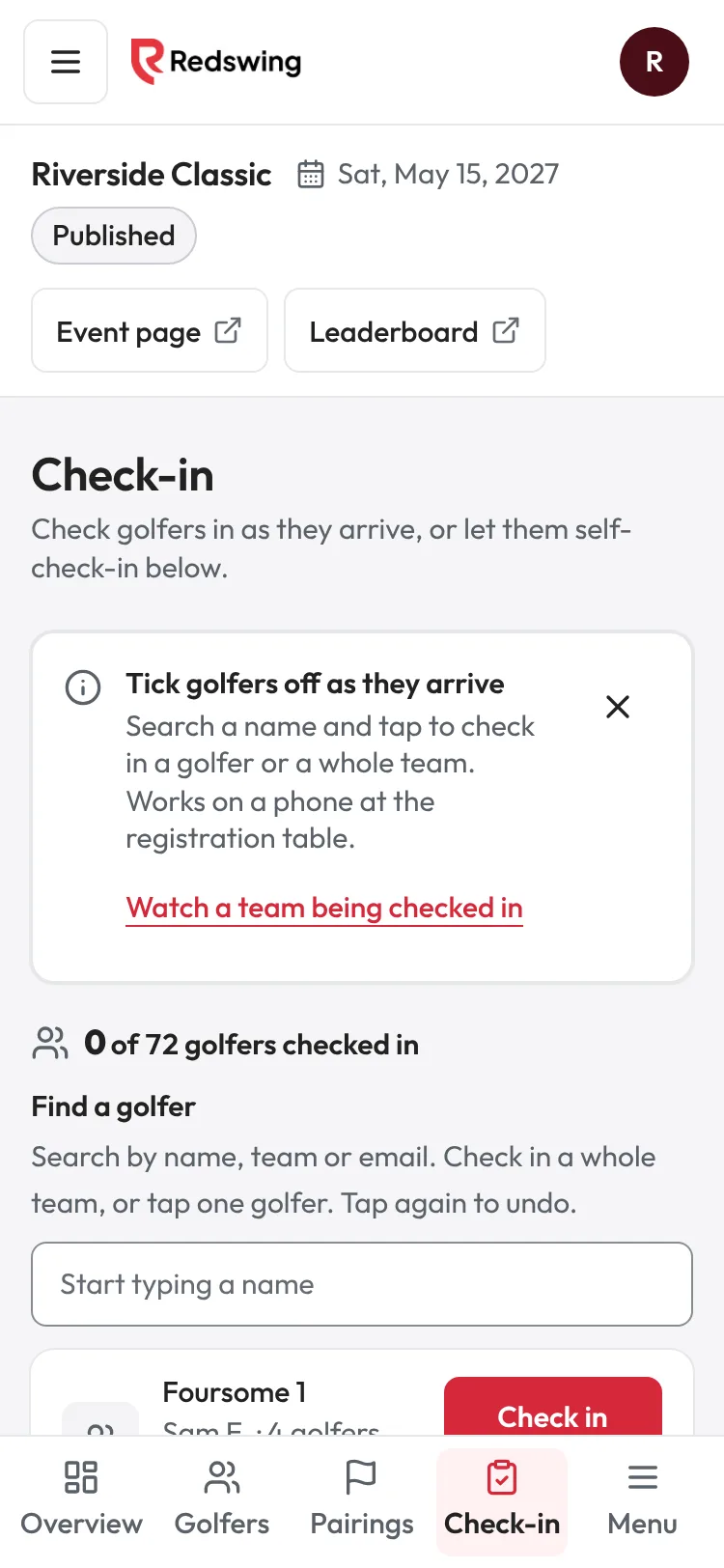
Step 1 of 5: Open Check-in. Find the team by name, or type in the search box.
Sample event. Not real data.
The Check-in page lists everyone on your golfer list, grouped by sign-up, with their group and starting hole.
Who can do this: Admins and Editors. A Viewer can see the page but cannot check anyone in. You will need: a phone or tablet with signal at the registration desk.
Before you start
- Pairings are made, so each golfer shows their group and starting hole ("Group 3 · Hole 3").
- Want golfers to check themselves in too? Set up the kiosk. See Set up the self check-in kiosk.
Steps
- Open Check-in in the event sidebar (under On the day). On a phone it is in the tab bar at the bottom. On event day, Check golfers in on the Overview opens it too.
- Type a name, team name or email in Find a golfer.
- Check them in:
- Whole team here: tap Check in team. All golfers on that sign-up are checked in.
- Only some here: tap each golfer who has arrived. Their button changes from Not here yet to Checked in.
- One golfer on their own: tap Check in.
- The button turns green: Team checked in or Checked in. The count at the top ("40 of 72 golfers checked in") goes up.
Money at the desk
A sign-up that still owes money shows Owes and the amount. Take the cash or check, tap Mark paid, and choose how they paid. See Mark a golfer as paid.
What each row tells you
| You see | Meaning |
|---|---|
| No one here yet | Nobody on that sign-up is checked in |
| 1 of 4 here | Some golfers are checked in |
| Everyone is here | The whole team is checked in |
| Not in a group yet | The golfer has no group. Put them in one on Pairings. |
| Owes $150 | Money still to collect |
What happens next
- The Overview shows the checked-in count.
- Check-in does not change scoring. A golfer who never checks in can still score.
- From Messages, then Texts, you can text golfers Not checked in yet (only golfers who agreed to texts).
Common problems
| What you see | What to do |
|---|---|
| A golfer is not on the list | They may never have finished paying online, or they did not sign up. Add them with Add golfer on Golfers. See A golfer shows up who isn't signed up. |
| You checked in the wrong team | Tap the green button again to undo. See Undo a check-in. |
| The page will not load | Use your printed list and check in on paper. See Check-in isn't working. |
Related
- Check in a whole team, or one golfer
- Set up the self check-in kiosk
- A golfer shows up who isn't signed up
Screenshots show a sample event. Not real data.