
Make a comp code
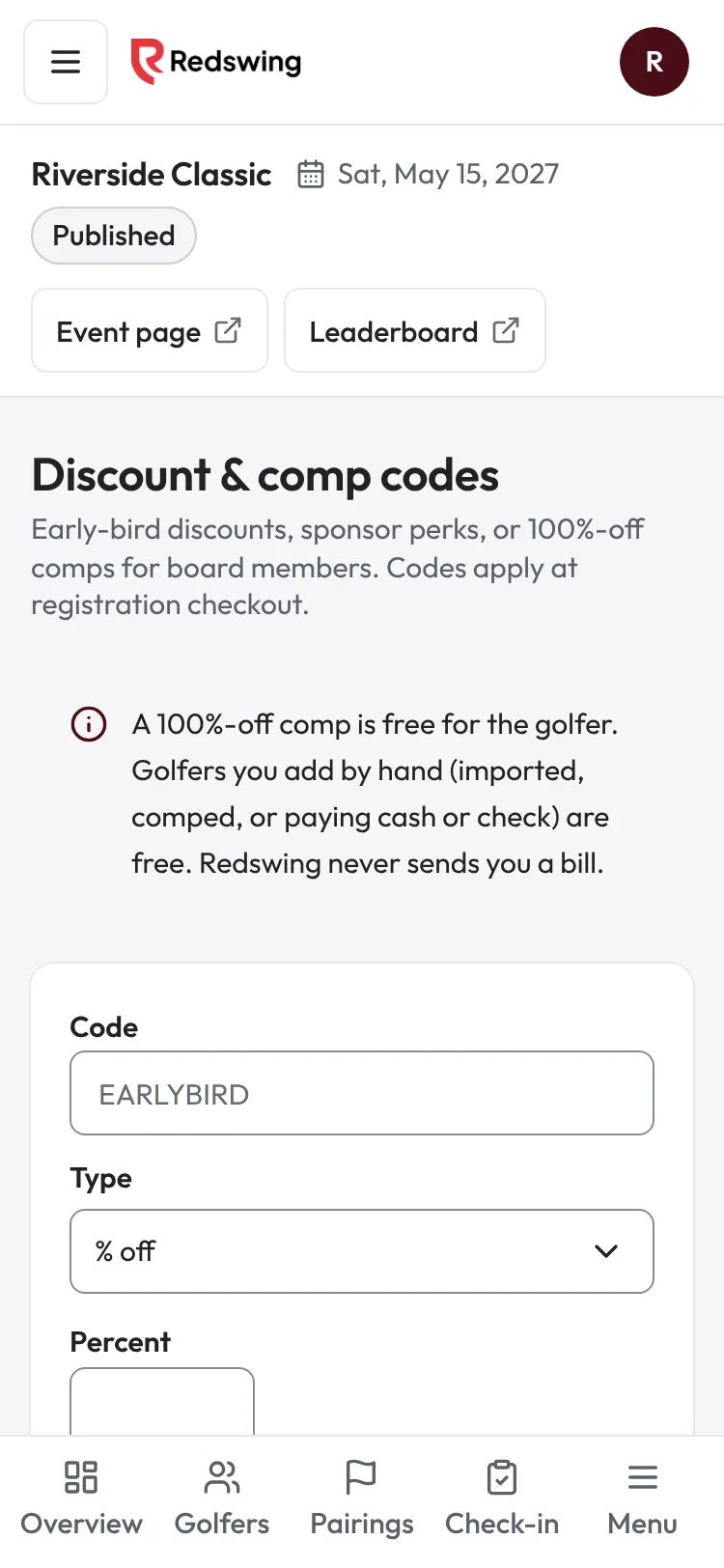
Step 1 of 6: Open Discounts. Type the code people will enter when they sign up.
Sample event. Not real data.
Who can do this: Admin or Editor. Time: one minute per code.
Steps
- Open your event and choose Discounts in the sidebar (under Before the day). The page is called Discount & comp codes.
- Type the Code people will enter, like EARLYBIRD.
- Choose Type: % off or $ off.
- Type the Percent (1 to 100) or the Amount ($). 100% off is a free spot.
- Max uses: how many sign-ups can use it. Leave it blank for no limit.
- Tap Add code.
Manage your codes
- Uses shows how many sign-ups used it, and the limit.
- Active: untick On to pause a code, tick it to turn it back on.
- The bin button deletes a code after you confirm. "People will no longer be able to use it. This can't be undone."
What golfers see
On the sign-up form, golfers type the code in Discount or comp code (optional) and tap Apply. Capital letters don't matter. The total updates before they pay.
How the discount is worked out
- % off comes off the whole order, add-ons included.
- $ off comes off once per sign-up, not once per golfer.
- One use is one sign-up, whatever its size.
- A code that takes the total to $0 is a free spot: no card payment, no booking fee, and the sign-up shows as Comp. A 100%-off comp is free for the golfer. Golfers you add by hand (imported, comped, or paying cash or check) are free. Redswing never sends you a bill. Golfers who pay online by card add a $5 booking fee inside their price (or you can cover it).
- Codes work for golfers who reserve and pay you directly too.
Common problems
| What you see | Why | What to do |
|---|---|---|
| "That discount code already exists for this event. Use a different code." | Each code is unique per event. | Pick another code. |
| "A discount can't be more than 100%. Use 100 for a free comp." | The percent is over 100. | Use 100 or less. |
| A golfer sees "Code is inactive" | You switched it off. | Tick On. |
| A golfer sees "Code has reached its limit" | Max uses is used up. | Delete it and make a new one with a higher limit. |
Related
Screenshots show a sample event. Not real data.