
Make a donation
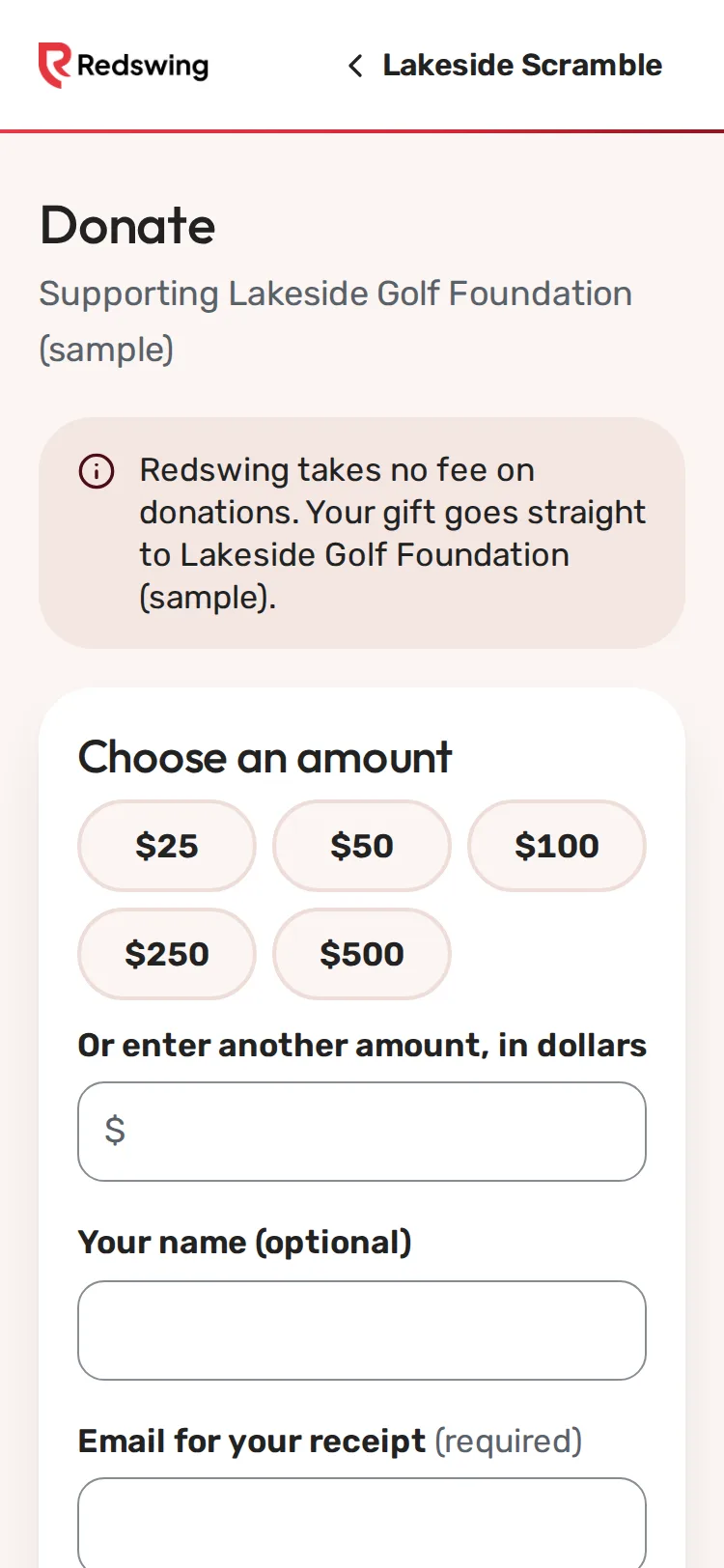
Step 1 of 3: Pick an amount, or type your own.
Sample event. Not real data.
You can give to the event's charity whether or not you play. Redswing takes no fee on donations.
On the donate page
- Open the event page and find the donate section near the bottom, or use the donate link the organizer sent.
- Under Choose an amount, tap an amount, or type your own in Or enter another amount, in dollars.
- Optional: add Your name and a Message.
- Type the Email for your receipt. It's required.
- Tap Donate $..., then type your card details and pay.
After your round
If the event takes card gifts, the Round complete screen on your scoring page may show Add a gift for [charity]. Tap an amount (or type one under Other amount), then Give $.... No thanks closes it. This quick gift has no email field, so no receipt email follows it; use the donate page if you want an emailed receipt.
If the event doesn't take cards online
The donate page says This event doesn't take card payments online. Leave your details and tap Send my details. The organizer contacts you about giving directly. See Give by cash or check.
What happens next
- You see Thank you! and "A receipt is on its way."
- You get a thank-you email from the organizer with the amount. See Your donation receipt.
- The gift goes to the organizer's own account.
Still need help? Your tournament organizer can fix this. Reply to your confirmation email (replies go to the organizer), or ask at the check-in desk on the day.
Screenshots show a sample event. Not real data.