
Choose a sponsor package
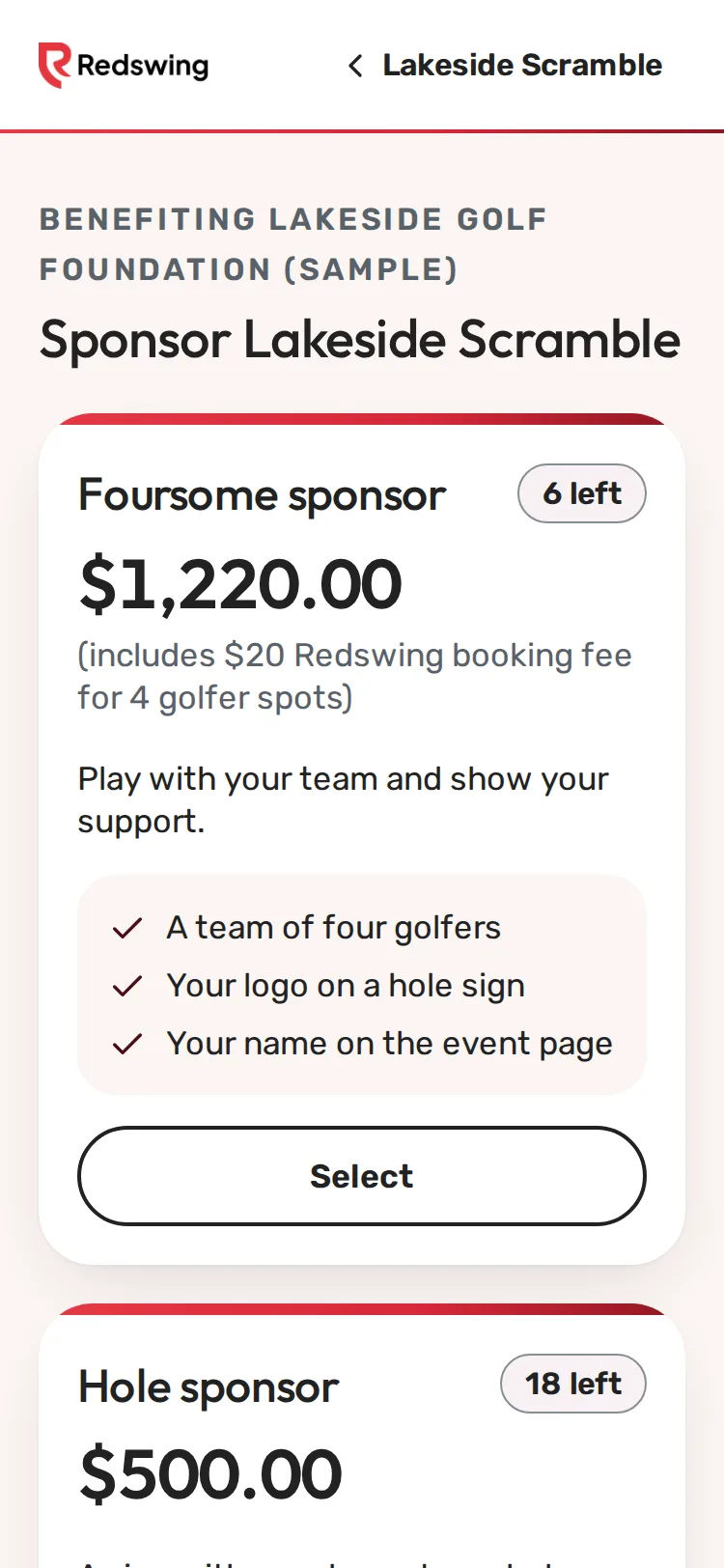
Step 1 of 5: Each package shows its price and what's included. Tap Select on the one you want.
Sample event. Not real data.
Sponsors sign up on the event's sponsor page. You pick a package, add your company's details and logo, and pay by card or reserve it and pay the organizer.
You will need: your company name, a contact email, and your logo if you have it handy (you can send it later).
Steps
- Open the sponsor page. It's linked from the event page (Become a sponsor), or the organizer sends it to you.
- Read the packages. Each shows its price, what's included, and sometimes how many are left ([n] left or Sold out). Tap Select on the one you want.
- Type your Company name the way it should appear, a Contact name, your Email and, if you like, a Phone.
- Add your logo under Logo (optional, but recommended), or skip it and send it later. See Send your logo.
- Tap Continue to payment and pay by card. See Pay for a sponsorship by card.
If the event doesn't take cards online
The page says This event doesn't take card payments online. Tap Reserve [package] on the one you want, fill in your details, and tap Tell the organizer I am interested. The organizer contacts you about paying them directly. See Pay for a sponsorship by check or cash.
Packages with golfer spots
Some packages include playing spots (for example a foursome). The price shown already includes the booking fee for those spots, like "(includes $20 Redswing booking fee for 4 golfer spots)". After you buy, tell the organizer who's playing. See Name the golfers your package includes.
What Redswing charges
Sponsorships carry no Redswing fee. The only Redswing fee is the booking fee on golfer spots a package includes, when bought online. Your payment for the sponsorship goes to the organizer's own account.
What happens next
You see Thank you and Your sponsorship is confirmed. The organizer sees you on their sponsor list and uses your name and logo as the package describes. See Where your name and logo appear.
Still need help? Your tournament organizer can fix this. Reply to your confirmation email (replies go to the organizer), or ask at the check-in desk on the day.
Screenshots show a sample event. Not real data.