
Make your post-event report
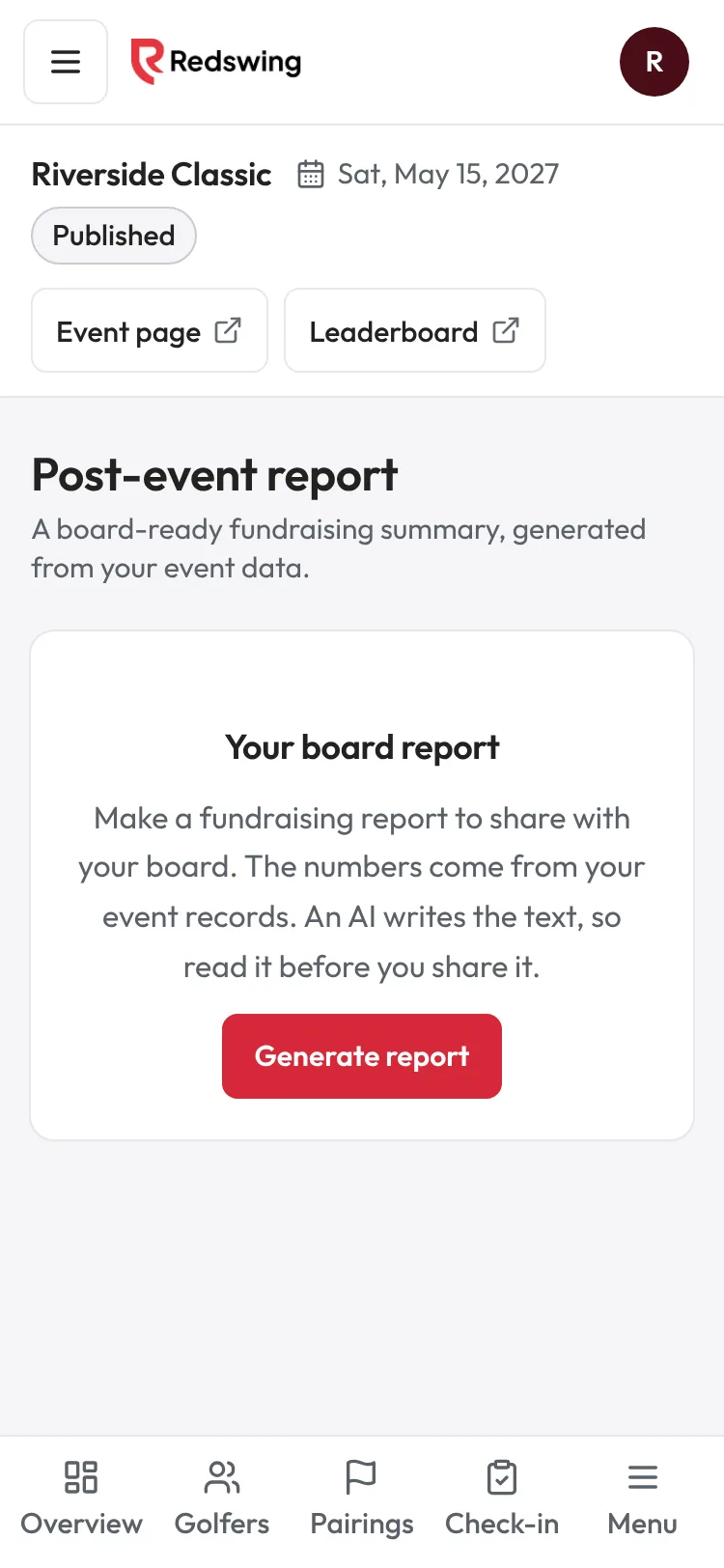
Step 1 of 2: Open Report under After the event, then tap Generate report.
Sample event. Not real data.
The report turns your event records into a summary you can hand to your board. The numbers come from Redswing; an AI writes the words around them, so read it before you share it.
Who can do this: anyone on your team who can open the event.
Before you start
- Record the money you collected on the day (cash, checks, auction winners). The report only counts what Redswing knows about.
- Record contest winners on Contests so they appear.
Steps
- Open your event and choose Report (under After the event in the sidebar).
- Tap Generate report. It can take about a minute; you can leave the page open.
- Read each section. Every AI-written part is marked AI estimate, check before sharing.
- Tap Download PDF to share it, or Copy thank-you template to paste the thank-you letter into an email.
- Changed something since? Tap Regenerate. It replaces the report you have.
What's in it
- Executive summary: total raised, golfers and teams, what reaches your organization before card processing.
- By the numbers: Total raised, To the organization before card processing, Golfers, Teams, then a line for each money source you used (Registrations, Sponsors, Auction (closed items), Add-ons, Donations, Fundraising stations).
- Still owed to the organization: money from golfers who reserved a spot and haven't been marked paid. It's shown separately and not counted as received.
- Who played: paid, comp, sponsor and waiting-to-pay golfers, when you have a mix.
- Winners: first place per flight (or overall without flights). When teams tie, the report says they tied and names all of them.
- Contest winners: each contest that has a recorded winner.
- What worked well, Opportunities for next year, Acknowledgements, and a Donor thank-you template.
Common problems
| What you see | What to do |
|---|---|
| Could not generate the report. | Try again in a minute. |
| A total looks wrong | See The report doesn't match my books. |
| A sentence says Redswing raised the money | Change it in your copy: your organization raised it. |
| You want to edit the wording | There's no editor on the page. Download the PDF or copy the template and edit your own copy. |
| No winners listed | No scores were entered, or golfers scored on paper and the scores weren't entered. |
Screenshots show a sample event. Not real data.