
Check yourself in at the desk
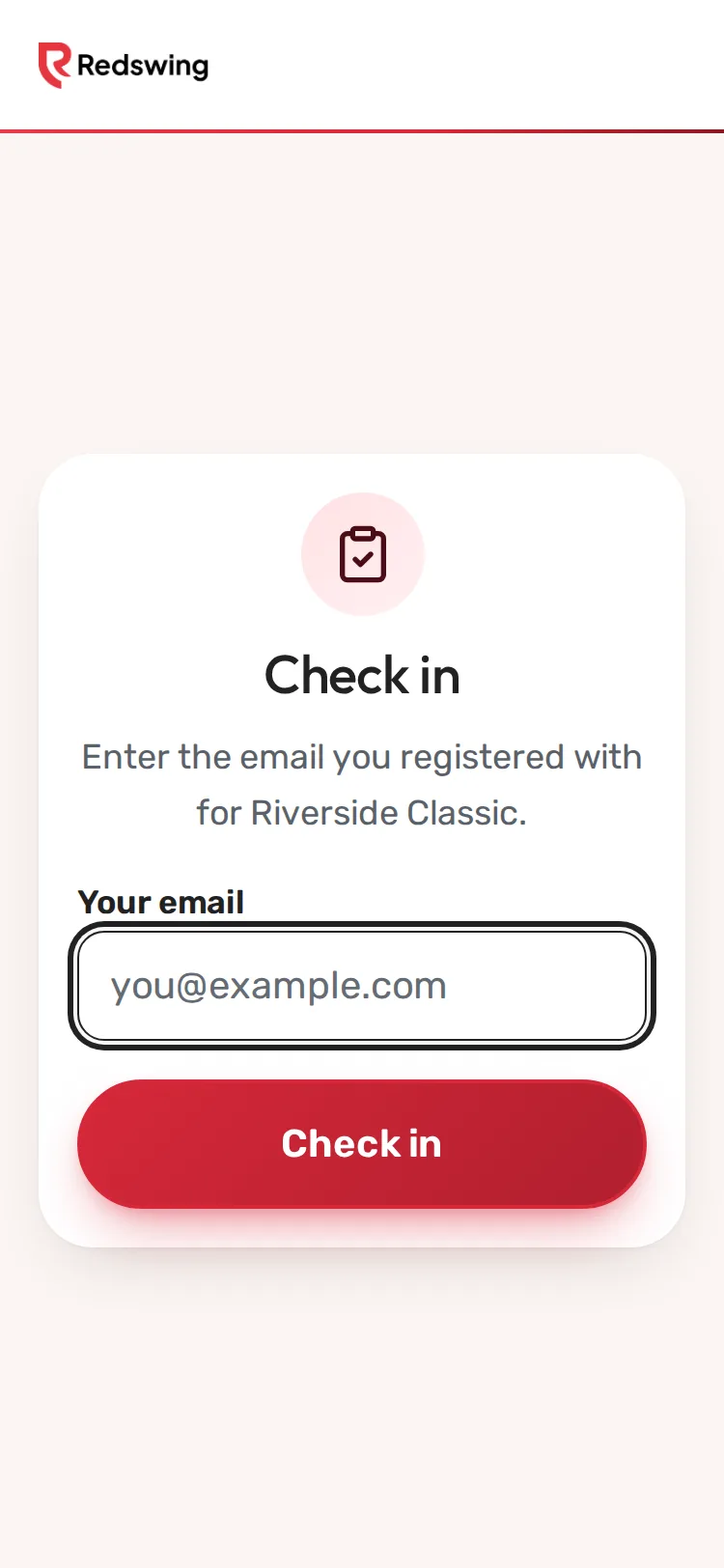
Step 1 of 4: At the check-in desk, type the email you signed up with.
Sample event. Not real data.
When you get to the course, go to the check-in desk. A volunteer checks you in, or you do it yourself on a tablet. It takes a few seconds.
On the check-in tablet
- Under Check in, type the email you signed up with in Your email. On a team, that can be your own email (if it was on the sign-up) or the email of the person who signed up the team.
- Tap Check in.
- You see You're checked in! with your name. If teammates aren't checked in yet, tap Check in my whole team to check everyone in at once.
- Tap Check in another golfer so the next person can use the tablet.
With a volunteer
Tell them your name or team name. They check in your whole team or just you.
What happens next
At check-in your group gets its scoring link: a QR code on your cart, a link by email, or a text if you agreed to texts. See Find my group and starting hole.
Common problems
| What you see | What to do |
|---|---|
| We couldn't find a registration for that email. Please see the registration desk. | Try the email of the person who signed up your team, or the other email you use. Otherwise a volunteer can find you by name. |
| Please enter your email. | Type your email in the box first. |
| Something went wrong. Please see the registration desk. | A volunteer can check you in by hand. |
Still need help? Your tournament organizer can fix this. Reply to your confirmation email (replies go to the organizer), or ask at the check-in desk on the day.
Screenshots show a sample event. Not real data.