
Read the leaderboard, flights and ties
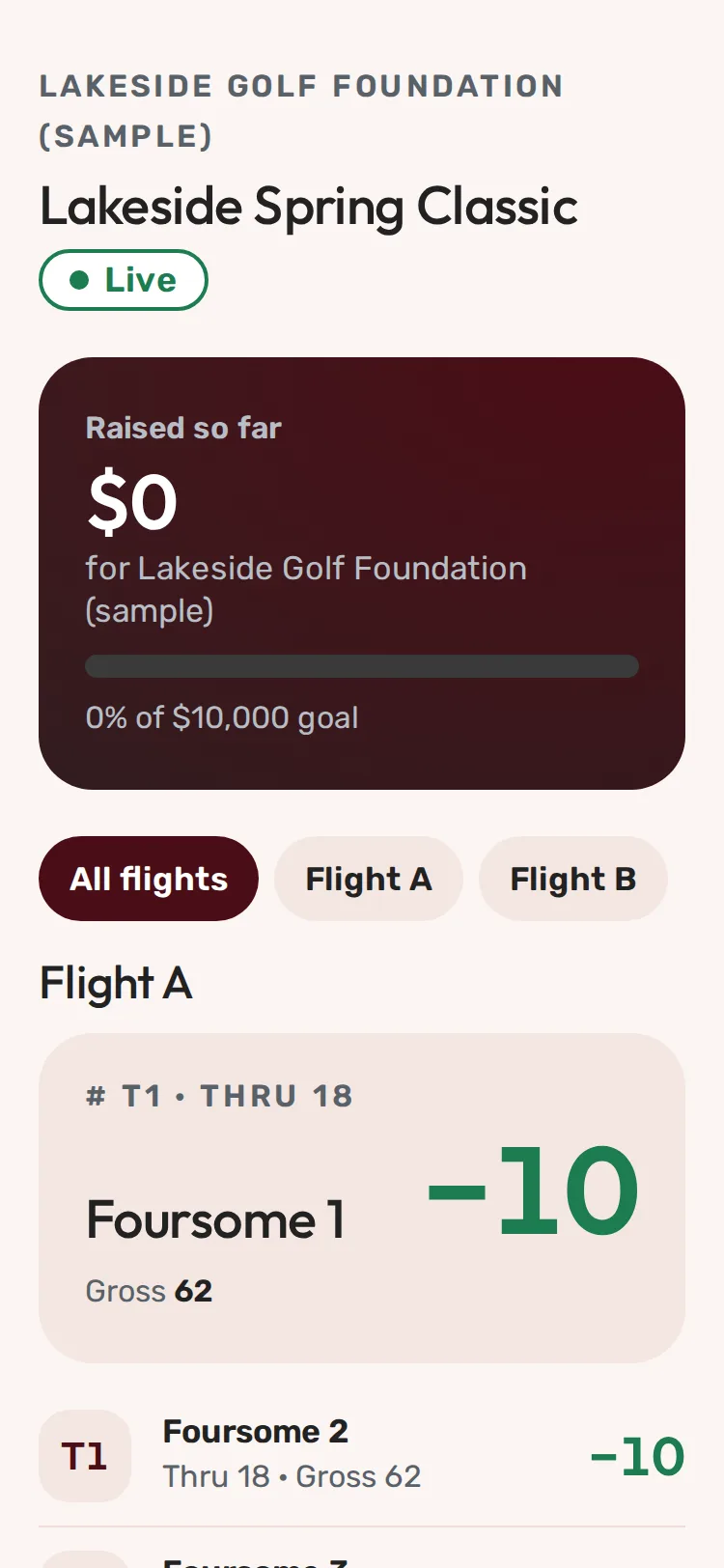
Step 1 of 2: Each team shows its place, holes played (Thru) and score against par.
Sample event. Not real data.
The leaderboard updates as groups enter scores. You can see it from your scoring page or from the event's leaderboard link.
From your scoring page
Near the top there's a Leaderboard row with your team's place, for example "T3 of 18 · thru 6 · −5". Tap it to open the full board with your team marked Your team.
Reading the board
- # is the place. T in front means tied: T1 means two or more teams share first.
- Thru is how many holes the team has entered.
- To par is the score against par: −5 is five under, E is even, +2 is two over.
- Gross or Net is total strokes (Net when the event uses handicaps).
- Live shows while the event is being played.
Flights
Some events split teams into flights (for example Flight A and Flight B). Each flight is ranked on its own, so a team can be T1 in Flight B. Tap a flight's name to see only that flight, or All flights to see them all.
Ties
The leaderboard shows ties as ties; it doesn't break them. If two teams tie for a prize, the organizer decides how (a scorecard playoff, a putt-off or a shared prize).
Common problems
| What you see | What to do |
|---|---|
| No scores yet. | Nobody has entered a score yet. Check back after a few holes. |
| A box asking for an access code | The organizer keeps the leaderboard private. Ask them for the code. |
| Your score looks wrong | Fix it from your scoring page. See Fix a score you entered. |
| The scoring page says Leaderboard updates when you have signal | You're offline. It refreshes when signal comes back. |
Still need help? Your tournament organizer can fix this. Reply to your confirmation email (replies go to the organizer), or ask at the check-in desk on the day.
Screenshots show a sample event. Not real data.