
Sign up as a single golfer
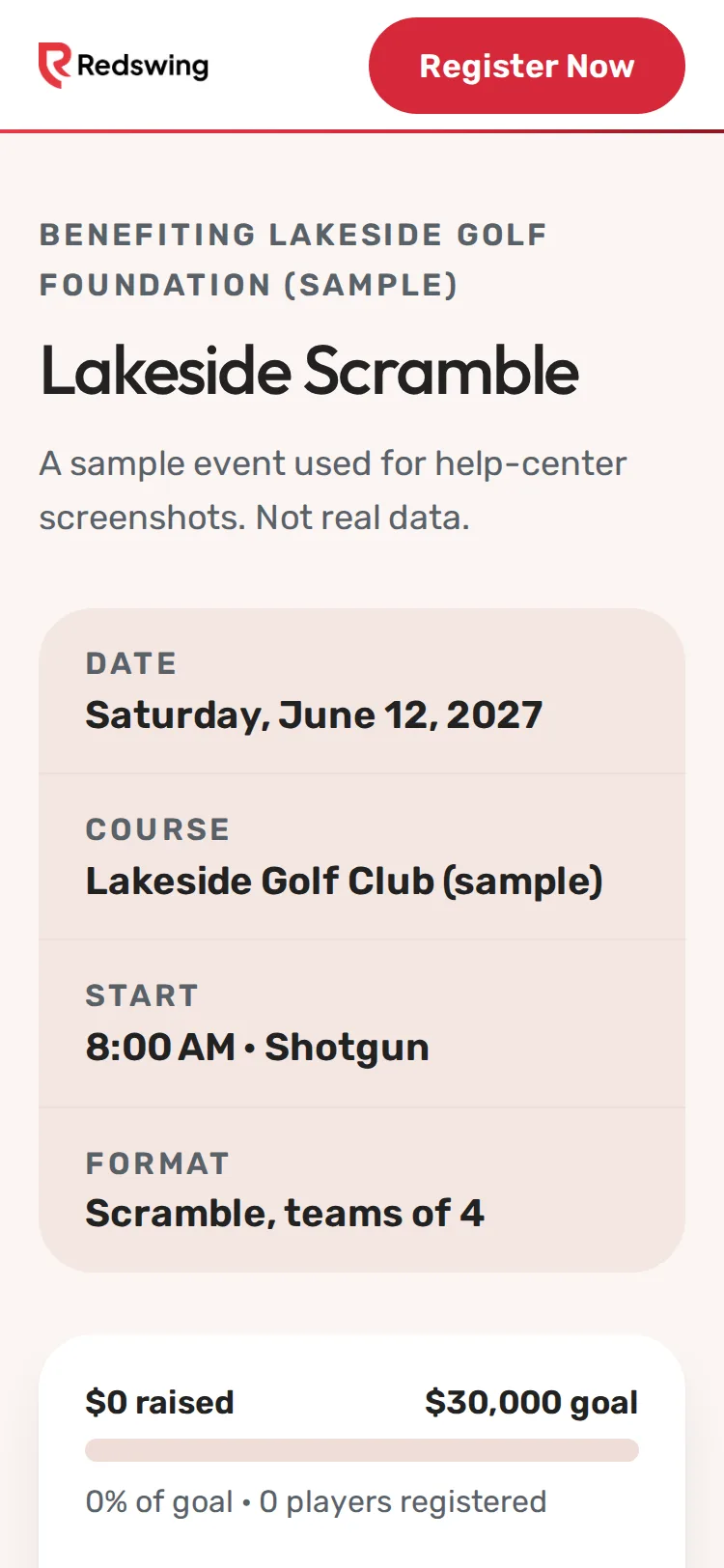
Step 1 of 8: Open the event page and tap Register Now.
Sample event. Not real data.
You sign up on the event's own page. There is no account to create and no app to download. It takes about two minutes.
You will need: the link to the event page (from the organizer's email, flyer or website), your name and your email.
Steps
- Open the event page and tap Register Now. It's in the top bar and again under the event name.
- Under Who is playing?, choose Individual, then tap Next. (If you only see Team, this organizer only takes full teams. Ask a friend to sign up the team, or ask the organizer.)
- Under Primary contact, type your Full name and Email. Phone is optional.
- Under Players, type the golfer's Name the way it should show on the pairings. Some events also ask for a Handicap or the organizer's own questions.
- Optional: tick the text-message box if you want event texts on your phone. It starts empty, and you can sign up without it. See Get text messages about the event.
- Tap Next. On Extras, add any extras the organizer offers (mulligans, a dinner ticket), type a Discount or comp code if you have one, and check the Order summary.
- Tap the big button at the bottom. What it says depends on how this organizer takes payment:
- Continue to payment · $...: you pay by card on the next screen. See What you pay.
- Reserve my spot · $...: no card today. You pay the organizer directly. See Reserve a spot and pay the organizer.
- Complete free registration: nothing to pay.
What happens next
- You see You're registered! (or How to pay, if you reserved a spot).
- An email called "You're registered for [event name]" comes from the organizer. It has the date, times, course and what you paid.
- On event day your group gets its own scoring link: a QR code or a link at check-in, or a text if you agreed to texts. No app or login needed.
Common problems
| What you see | What to do |
|---|---|
| One thing to fix: under the form | Fill in the field it names. A name and a contact email are needed. |
| Registration is closed | The organizer closed sign-ups or the closing date passed. Ask the organizer. |
| Registration opening soon | Sign-ups aren't open yet. Leave your email and you'll be told when they open. See Get told when sign-ups open. |
| A sold-out message | Every spot is taken. Join the waitlist. See Join the waitlist. |
| The card was declined | See My card was declined. |
Still need help? Your tournament organizer can fix this. Reply to your confirmation email (replies go to the organizer), or ask at the check-in desk on the day.
Screenshots show a sample event. Not real data.