
Go live and clear test scores
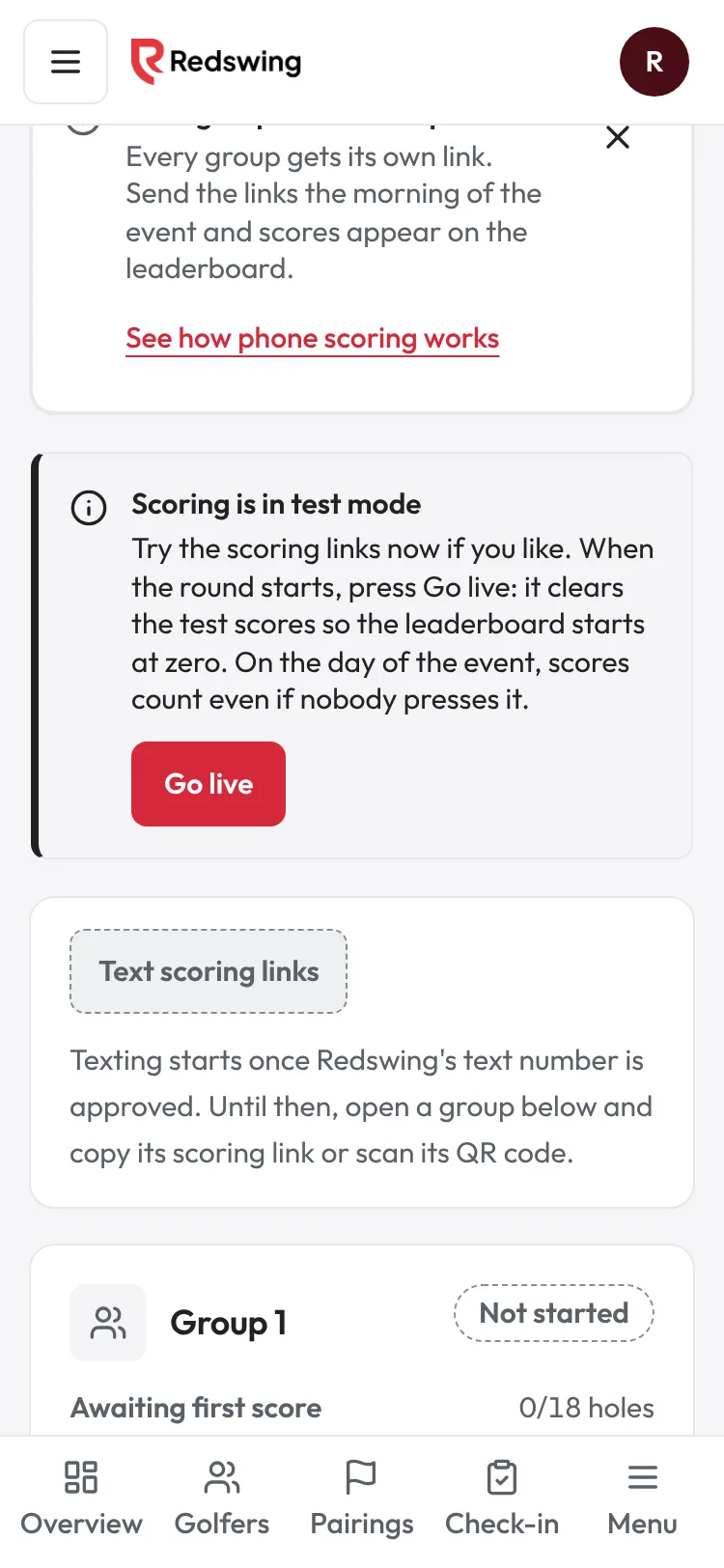
Step 1 of 2: Scoring is in test mode until you go live. When the round starts, tap Go live.
Sample event. Not real data.
You can try the scoring links before your event. Those scores are test scores. When the round starts, press Go live: it deletes every score entered so far, so the leaderboard starts at zero. Scores entered after that count.
Who can do this: Admin or Editor. Viewers do not see the button. Time: under a minute.
Steps
- Open Scoring in the event sidebar. Once your event has groups, a box says Scoring is in test mode.
- When the round starts, tap Go live.
- A box asks Go live? It says: "This clears all test scores and opens scoring for every group. Scores entered after this count." It also says how many test scores will be deleted.
- Tap Clear test scores and go live.
- A message says "Scoring is live. Scores entered from now on count." The Go live box goes away.
What Go live deletes
- Every score entered for the event so far, and the hole-in-one alerts those scores raised.
- It does not delete groups, golfers, check-ins or contest results.
- It cannot be undone. Press it when the round starts, not the night before.
If nobody presses it
Scoring is never blocked. From the start of your event day (in the event's time zone), scores count, and the leaderboard shows Live once the first score is in. Before that day, test scores can show on the board, but it never says Live for them.
The Go live button stays until someone presses it, so if you forgot, you can still clear test scores on the morning.
Good to know
- A phone that saved a test score with no signal and sends it after you go live: that score is dropped and never counts.
- After the event is marked complete, the button no longer shows.
Common problems
| What you see | Why | What to do |
|---|---|---|
| No Scoring is in test mode box | Scoring already went live, the event is finished, you are a Viewer, or there are no groups yet | Nothing to do if scoring is live. Otherwise make pairings first, or ask an Admin or Editor. |
| "This event is finished, so scoring can't go live again." | The event is marked complete | Nothing to clear. |