
Add a golfer who walks up on the day
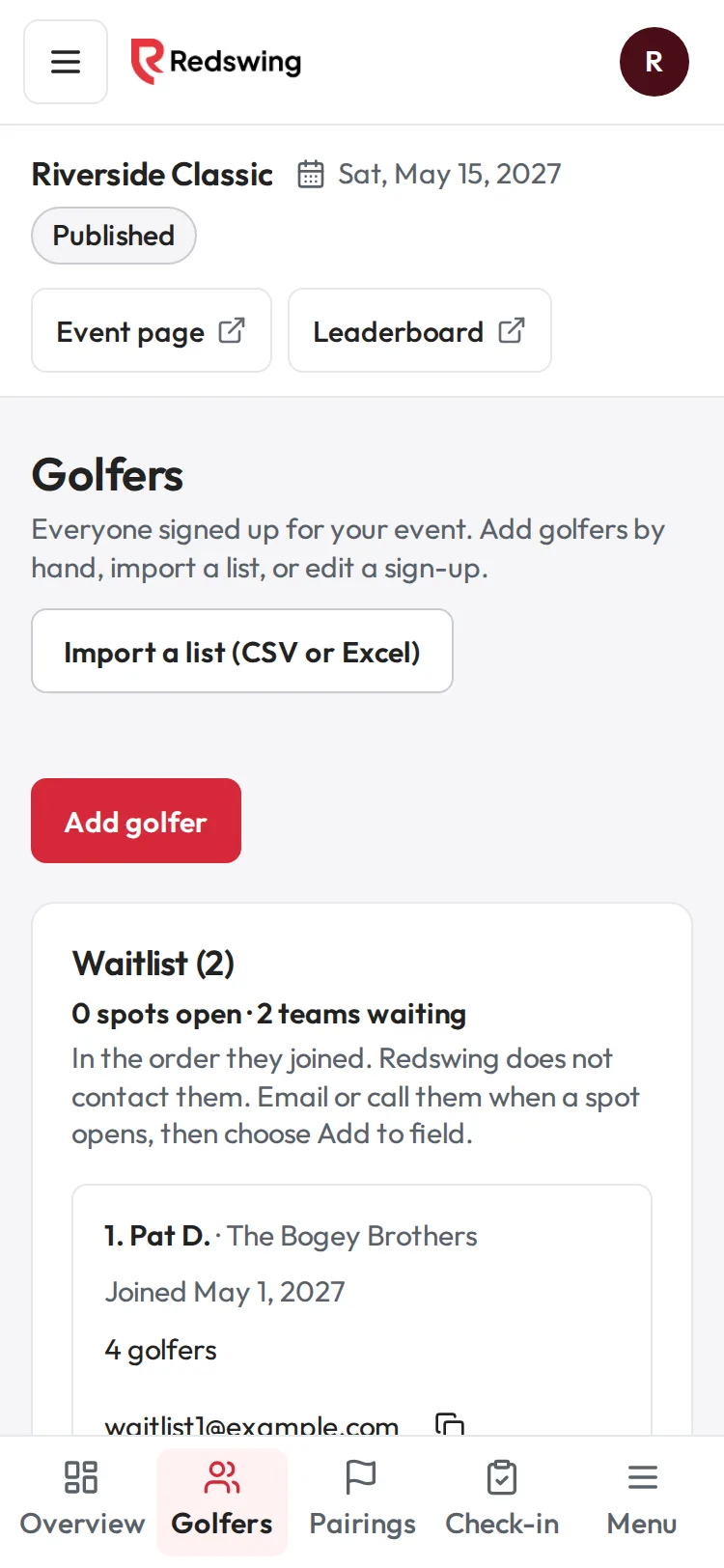
Step 1 of 5: Open Golfers and tap Add golfer.
Sample event. Not real data.
Someone arrives who is not on your list. Add them, record what they paid, and put them in a group. About two minutes.
Who can do this: Admin or Editor You will need: their name, how they paid, and a group with room.
Before you start
- Check Check-in first: they may be on the list under a teammate's name or another email.
- Golfers who pay you directly (cash, check or your own link), comps, imports and golfers you add by hand are free. Redswing never sends you a bill for them.
Step 1: add the golfer
- Open Golfers and tap Add golfer.
- Type their Full name. Email and Phone are optional. A Team name that matches an existing team pairs them with that team when pairings are made.
- Under Payment, choose Paid cash, Paid by check or Not paid yet.
- Tap Add golfer. A message says they were added.
Adding a golfer does not email or text them anything.
Step 2: put them in a group
- Open Pairings. Golfers with no group are listed at the top under Not in a group yet.
- On their row, open Add to group… and pick a group with room. Each choice shows how full the group is, for example "Group 18 (3 of 4)".
- They join the group. Scores the group already entered stay as they are.
Step 3: get them scoring
They score on their group's card. Show them the group QR, or have a teammate share the group link. See Get a group's scoring link and QR code.
Step 4: check them in
Find them on Check-in and tap Check in.
Common problems
| What you see | Why | What to do |
|---|---|---|
| "The event is full (72 golfers). Raise Max players in Settings, under Event details, then add them." | Every spot is taken | In Event settings, under Event details, raise Max players by one and tap Save event details. Then add them. |
| "That email is already on the list for this event." | They are already signed up | Find them on Check-in instead. |
| Every group is full | Redswing cannot add a new group on the day | In a scramble the golfer can play with a group as a fifth player; the group's one team score covers them, so they do not need to be in the group in Redswing. Agree the rule with your committee. See Short teams and extra players. |
| "Scores are already entered for one of these groups, so golfers cannot be moved." | You tried Move player or Swap with… after the group started | Use Add to group… for a golfer with no group. Moving and swapping only work before a group enters a score. |
Related
Screenshots show a sample event. Not real data.