
Gave cash or a check back? Record it
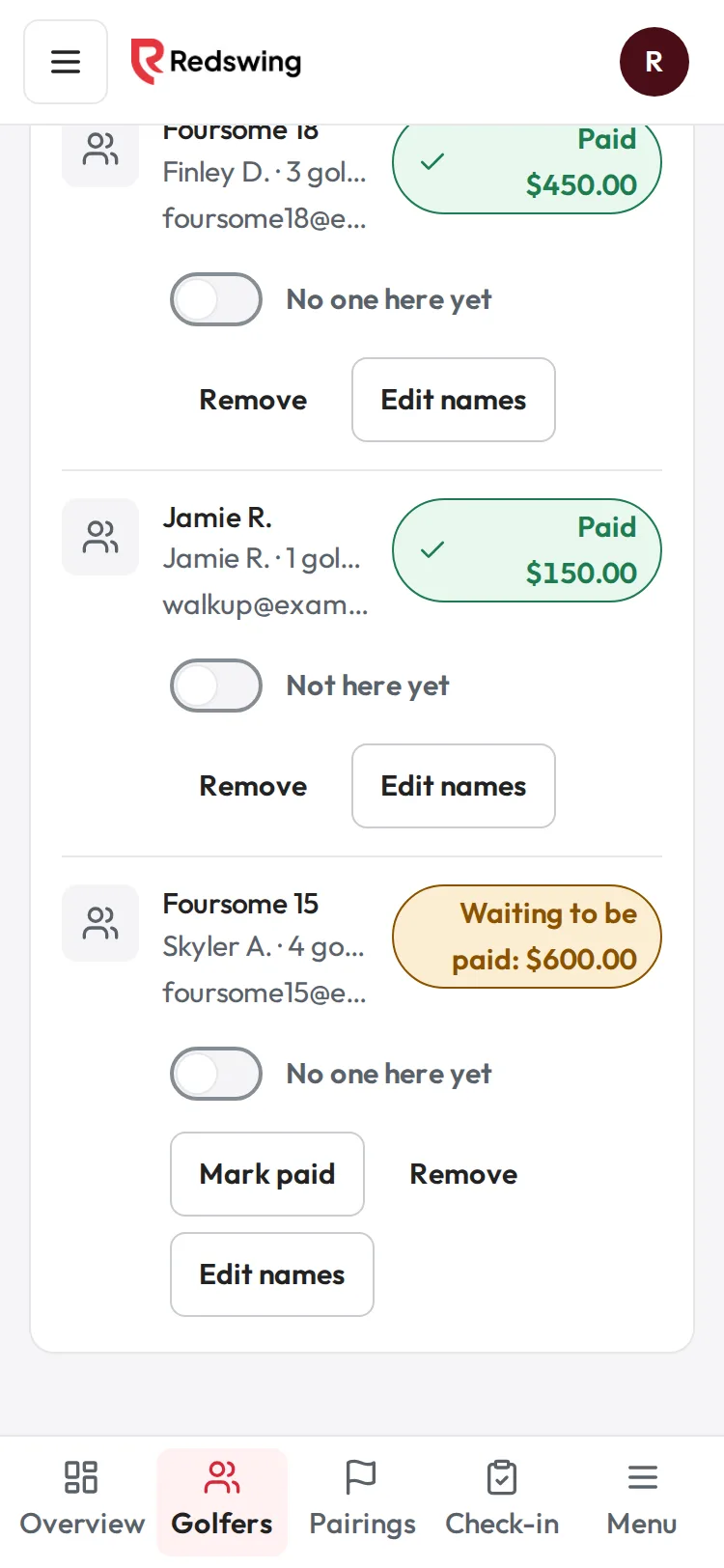
Step 1 of 3: You gave the golfer their money back. Find them on Golfers and tap Remove.
Sample event. Not real data.
Draft for legal review: This article describes how Redswing works in plain language. It is not tax or legal advice and an attorney has not reviewed it yet. Ask your tax advisor or attorney about your own situation.
Money a golfer paid you directly (cash, check or your own payment link) never passed through Redswing, so Redswing can't send it back. You return it yourself, then record it here so your totals, your list and your records match.
Who can do this: Admin or Editor. Time: two minutes, after you have given the money back.
Before you start
- Give the money back first. Hand back the cash, write a check from your organization, or refund through your own payment link. If you are returning their own uncashed check, return or destroy it.
- Decide: are they leaving the event, or getting part of their money back and staying?
They are leaving the event (full amount back)
- Open your event and choose Golfers.
- Tap Remove on their row.
- The panel says "Any cash or check you recorded is marked as given back." Tap Remove from event.
- You see "... was removed. Their spot is open again." The full cash or check amount is now recorded as given back, with the reason "Removed by the organizer".
They get part back and stay (or you record the refund first)
- Open Get paid and tap Refund a payment at the bottom.
- Find their payment: "Registration · " and their email, then the date and Paid to you directly. It says: "You return the money yourself (cash, check or your own link). This only updates your records."
- Type the Refund amount ($) you gave back, and a Reason.
- Tap Review refund. The box shows Back to the buyer, and "None (no Redswing fee)" for the Redswing fee.
- Tap Send refund. Nothing is sent anywhere; you see Refund recorded.
- If you recorded the full amount this way, they are no longer an active golfer and leave Golfers. A part refund keeps them on the list.
What happens next
- Your records show the amount as given back, with the reason and who recorded it.
- Golfers who pay you directly carry no Redswing fee, so there is nothing of Redswing's to return. Golfers you add by hand (imported, comped, or paying cash or check) are free. Redswing never sends you a bill. Golfers who pay online by card add a $5 booking fee inside their price (or you can cover it).
- Redswing does not contact the golfer. Tell them yourself.
Common problems
| What you see | Why | What to do |
|---|---|---|
| Their payment is not under Refund a payment | They are still "waiting to be paid" (nothing was recorded), or it was a comp. | Use Remove on Golfers; there is nothing to give back. |
| "That is more than was received." | The amount is more than you recorded for them. | Check what you recorded, then use that amount or less. |
| "Only a received payment can be refunded." | The payment was never marked received. | Use Remove instead. |
| They paid by card, not cash | Card money is returned through Square. | See Refund a golfer or team that paid by card. |
Related
- A team cancels: remove them and refund them
- Remove a golfer or a team
- Record cash and check payments
- Refund part of a payment
Screenshots show a sample event. Not real data.