
Remove a team from your event
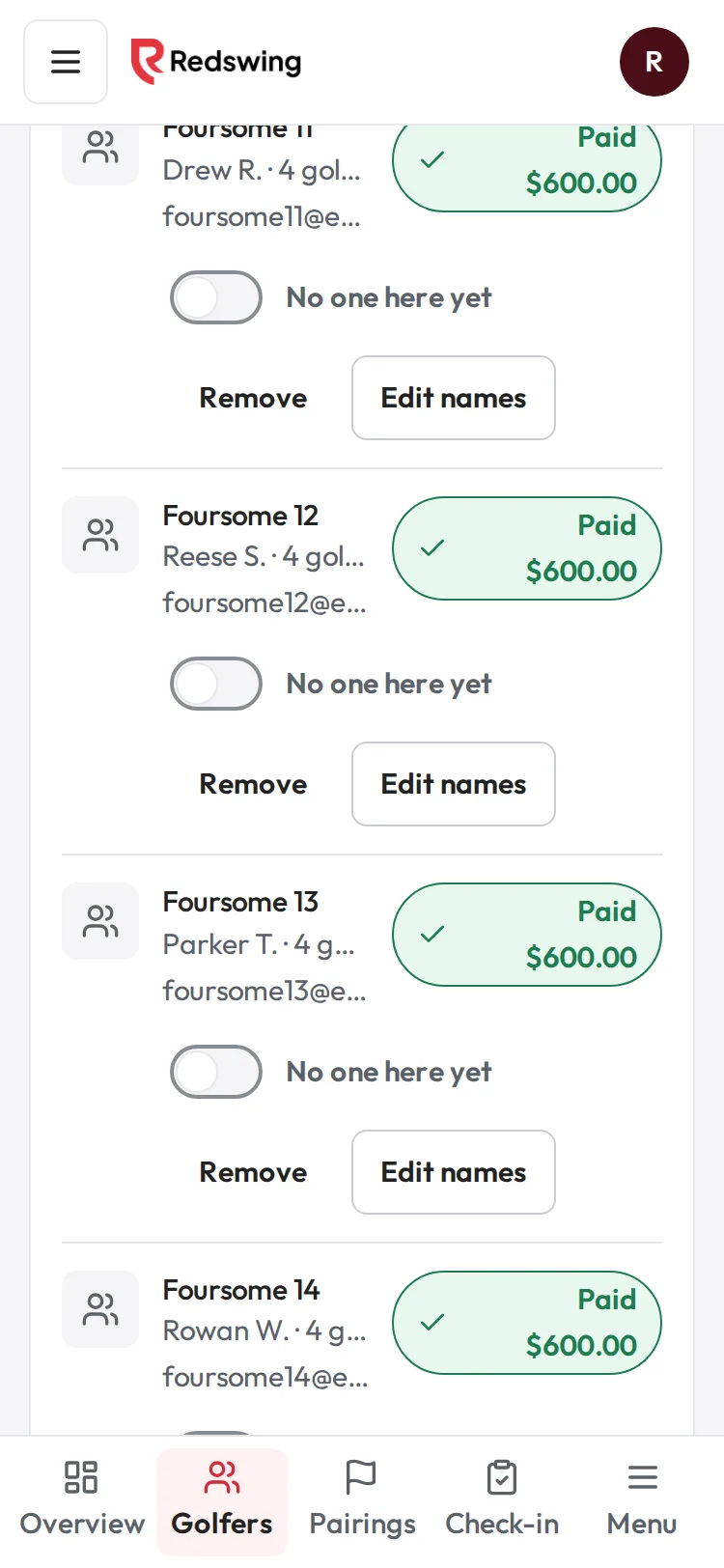
Step 1 of 5: Find the team on Golfers and tap Remove on their row.
Sample event. Not real data.
Use Remove on the Golfers page when someone is not coming: a no-show, a duplicate sign-up, or a team that cancelled. Their spot opens up and they leave pairings, check-in, scoring links and your golfer count.
Who can do this: Admin or Editor. Viewers don't see the button. Time: under a minute.
Before you start
- Paid by card? You can't remove them here. Refund them on Get paid; a full card refund takes them off the list. See A team cancels: remove them and refund them.
- Already have scores? Golfers with scores can't be removed, so the leaderboard never changes by accident. See I can't remove a golfer.
- Remove works on a whole sign-up. A team that signed up together comes off together. To change one golfer, see "Only one golfer is out" below.
- There is no undo. If you remove someone by mistake, add them back with Add golfer.
Steps
- Open your event and choose Golfers in the sidebar (on a phone, Golfers in the bar at the bottom).
- Find the team or golfer and tap Remove on their row.
- A panel opens under the row: "Remove Foursome 12 (4 golfers) from this event?" with what will happen. Tap Remove from event, or Keep them to back out.
- You see "... was removed. Their spot is open again." The row leaves the list.
What happens next
- Spots: the golfer count drops and the spots open. If the event was sold out, the event page takes sign-ups again (or, with the waitlist on, the Waitlist box shows the open spots after a refresh).
- Pairings, check-in and scoring: they come off their group, the check-in list and the scoring links. The rest of their group, and any scores the group entered, are not touched. The empty seat stays empty until you fill it (Move a golfer to another group).
- Money, by how they paid:
- Waiting to be paid: the amount they owed is cancelled and leaves Payments you are waiting on.
- Cash or check you recorded: marked as given back in your records. Remove does not hand anyone money; you give it back yourself. See Give back cash or a check.
- Comp: nothing to undo.
- Card: not allowed here (see above).
- Records: the sign-up stays in Redswing's records marked as removed, with who removed it and when. It no longer shows on Golfers, in the Golfers export, or in Tax receipts.
- What the golfer sees: nothing. Redswing does not email or text them. Tell them yourself.
Only one golfer is out
Remove takes off the whole sign-up. To change one golfer on a team:
- Someone takes their place: use Edit names and type the new golfer's name. See Replace a golfer with someone else.
- Nobody replaces them: leave them on the list and don't check them in. Redswing has no button to take one golfer off a team sign-up.
Common problems
| What you see | Why | What to do |
|---|---|---|
| "This golfer paid by card. Refund them on the Get paid page; that removes them." | Card payments are refunded through Square, never just taken off the list. | Refund on Get paid → Refund a payment. See Refund a golfer or team that paid by card. |
| "This golfer already has scores, so removing them would change the leaderboard. Leave them on the list." | Removing them would change the board. | Leave them on. See I can't remove a golfer. |
| "This sign-up was already removed." | Someone on your team removed it already. | Refresh the page. |
| No Remove button | You have view-only access. | Ask an Admin or Editor. |
| "We could not record the money as given back: ... Nothing was removed." | Saving the given-back record failed, so nothing changed. | Try again. If it repeats, open Ask AI. |
Related
- A team cancels: remove them and refund them
- I can't remove a golfer
- A team cancels: fill the spot from the waitlist
- Replace a golfer with someone else
Screenshots show a sample event. Not real data.