
Fix a name or put in a new golfer
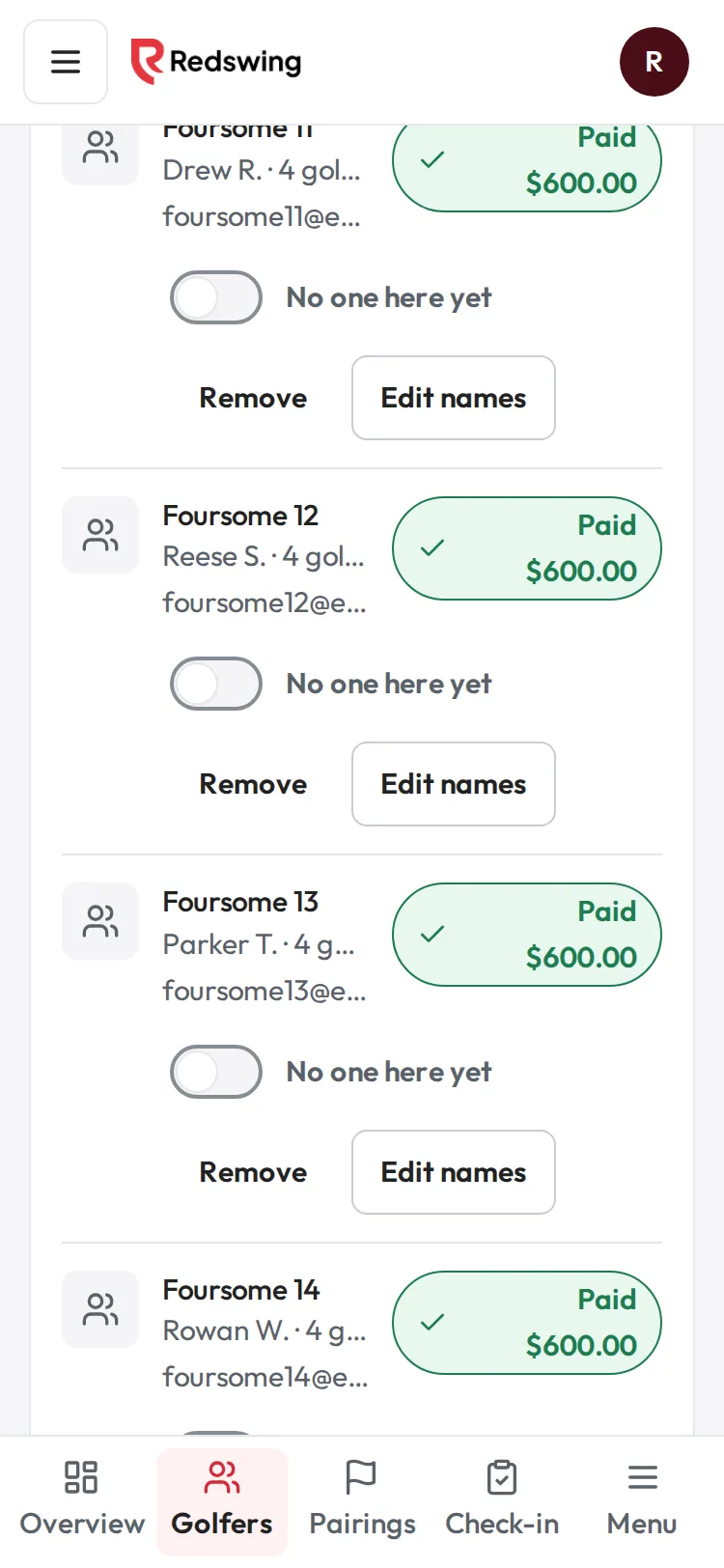
Step 1 of 5: Find the team and tap Edit names.
Sample event. Not real data.
Names come from what golfers typed when they signed up, so typos happen. Edit names fixes them in one place, and the new name shows on pairings, the tee sheet, scorecards, check-in and the leaderboard.
Who can do this: Admin or Editor. Time: under a minute.
Steps
- Open your event and choose Golfers.
- Find the sign-up and tap Edit names on its row.
- A panel opens with one box per golfer. A team shows Golfer name ( their current name ) for each golfer; a single golfer shows Golfer name. Type over the name you want to change.
- To change the team name, use Team name (optional). Leave it blank for no team name.
- Tap Save names (or Cancel). You see "Names saved".
What happens next
- The new name shows on pairings, the tee sheet, scorecards, check-in and the leaderboard, because they all read the same saved name. Reprint anything you printed before the change.
- For a single golfer, the contact name on the row changes too.
- Team name and pairings: golfers with the same team name are kept together when you make pairings. Changing a team name does not move anyone in groups you already made.
- Redswing does not email or text anyone about the change.
What Edit names does not change
- Email and phone. There is no box for them. To correct the email or phone on a sign-up, open Ask AI and ask it to update the registration's contact details; it shows you the change and asks you to confirm.
- Payments. Changing a name never changes what was paid or who paid it.
- How many golfers are on the sign-up. To take a golfer off, see Remove a golfer or a team.
Common problems
| What you see | Why | What to do |
|---|---|---|
| "There are no golfer names saved for this sign-up yet, so there is nothing to edit." | The sign-up has no golfer records (rare, from older sign-ups). | Add the golfers with Add golfer using the same team name, then remove the empty sign-up. |
| "The golfer name was saved, but the team name was not. Try the team name again." | The second save failed. | Open Edit names again and save the team name. |
| "We could not save that name. Nothing was changed." | A save failed. | Try again. |
| No Edit names button | You have view-only access. | Ask an Admin or Editor. |
Related
Screenshots show a sample event. Not real data.